
Whether you have an exported portfolio from your broker (Zerodha Kite, Groww, AngelOne, Interactive Brokers) or a custom Excel spreadsheet of breakout candidates, you shouldn't have to type symbols one by one.
TradingView natively restricts watchlist imports and strictly caps free accounts at 30 symbols. Here is how to bulk import hundreds or thousands of tickers into TradingView with zero restrictions.
Supported File Formats & Syntax
The extension's intelligent symbol parser accepts virtually any standard tabular or plain text format:
- Comma-Separated Text:
RELIANCE, TCS, INFY, HDFCBANK, ICICIBANK - Line-by-Line List (.txt or .csv): One symbol per line, ideal for copied spreadsheet columns.
- Broker Holdings CSV: Standard CSV files exported from Zerodha Kite, Groww, AngelOne, Upstox, Charles Schwab, Fidelity, or Interactive Brokers.
- Prefixed or Clean Tickers: You can provide symbols with exchange prefixes (e.g.
NSE:TCS) or raw tickers (e.g.TCS). Raw tickers automatically route to your selected Default Market in Settings.
Step-by-Step: Importing Your CSV or Excel File
Step 1: Export Your Symbols
From your broker dashboard or Excel sheet, export your stock list as a .csv or .txt file (or simply copy the column of ticker symbols to your clipboard).
Step 2: Open the Watchlists Panel
On any TradingView chart page, click the Watchlist Icon on TradingView's right toolbar (or click the pinned extension icon in your Chrome toolbar).
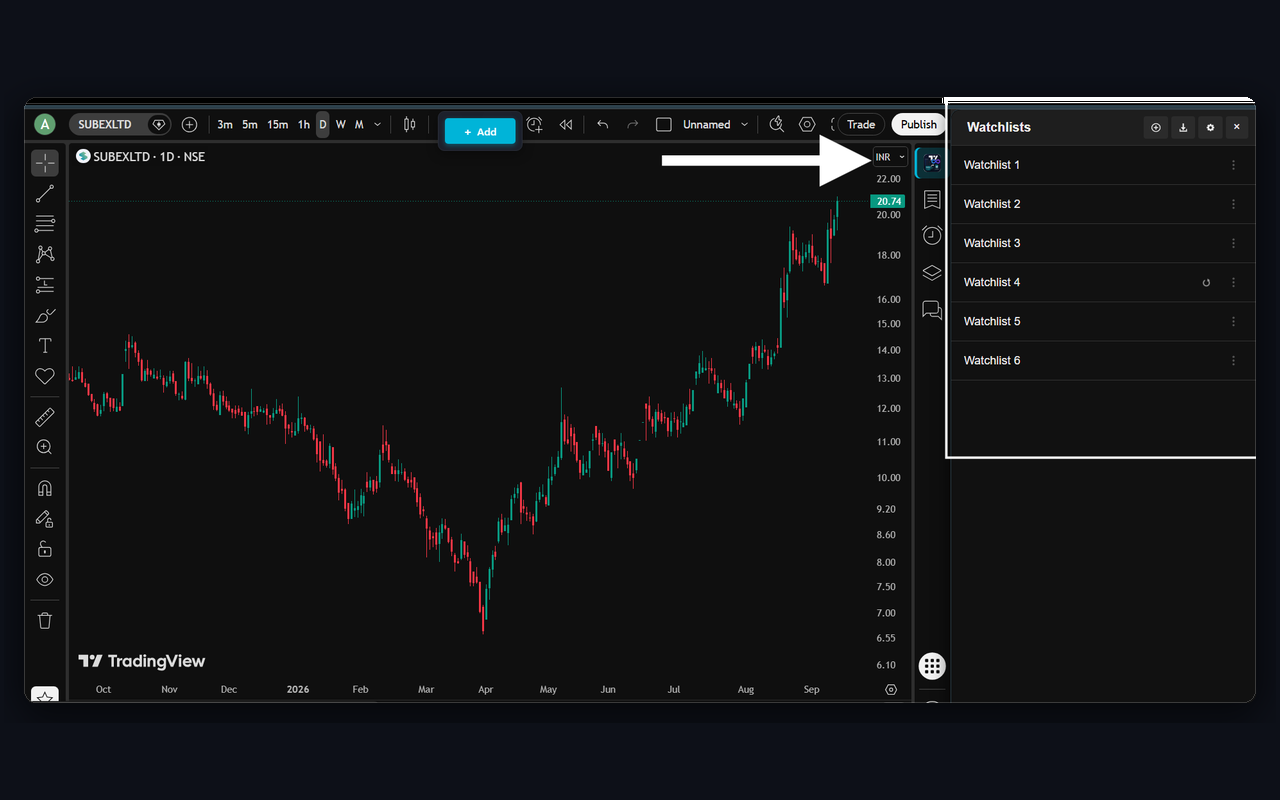
Step 3: Click Import
Click the Import icon (the download arrow ↓) in the top header of the Watchlists panel.
Select your .csv or .txt file from your computer. The extension immediately parses all symbols, strips invalid characters, and populates your new watchlist.
Step 4: Verify and Navigate
Your imported stocks appear with clean metadata and live bridge links. Click any symbol or press Space on your keyboard to immediately chart the stock.
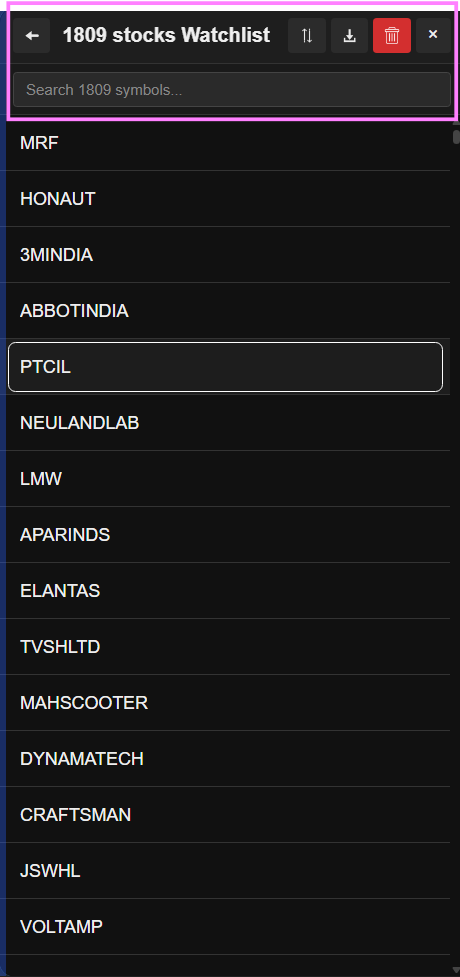
Exporting Watchlists Back to CSV or Text
Data portability is a core principle. You are never locked in.
Whenever you want to export your curated watchlists to share with another trader or import into another charting platform:
- Open the watchlist you wish to export.
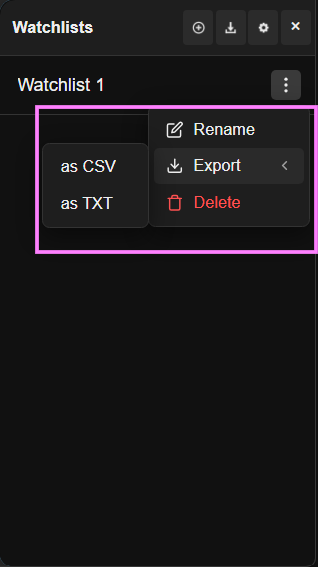
- Click the 3-dot menu (⋮) in the top-right header.
- Choose your preferred export format:
- Export as Comma Separated (.txt): A clean comma-separated string of all symbols.
- Export as CSV (.csv): A structured spreadsheet ready for Excel or Google Sheets.
Import 10,000+ Stocks Without Limits
Break TradingView's 30-stock cap forever with zero monthly fees.
Add to Chrome — 100% Free